Enabling quicker larger uploads to a DAM
Duration:
0-4 months
What's a Bulk Uploader
All DAMs need a way to upload assets. Due to file capacities its not always possible to get all users assets uploaded using the regurlar upload method. The Bulk Uploader is a tool that lives outside the DAM and enables user to upload assets and folders of assets to their existing DAM. This is incredibly valuable for new onboarded customers and those that have hundreds of files to migrate to the DAM.



The Problem
The tool(s) to upload assets in the past were not User friendly and didn't translate well when it came to migrating assets to existing folders in the DAM. I wanted to create something that replicated the flow and UI of the DAM today. Users would be able to see what existed already and added to it.
Unfortunately uploading isn't always possible for many different reasons and communicating issues was a large part of the design flow for this project. It was necessary to ensure users on what was happening to their assets at the point of upload.
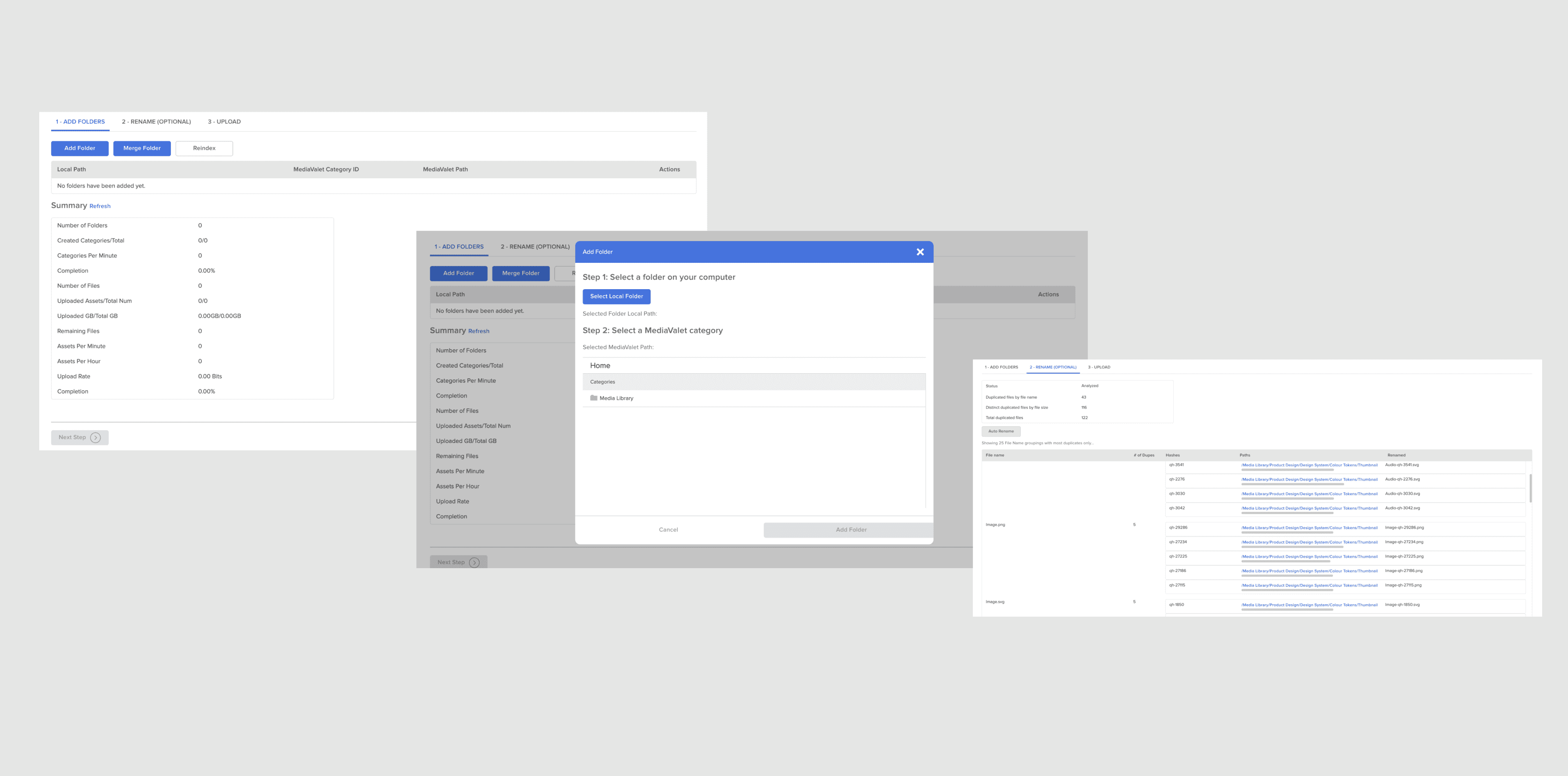
The Old Tools
The previous tool was created for the previous version of the DAM. At the time this may have made sense to some customers using it, however its flow was not at all in sync with the DAM. Users needed training with on-boarders before eventually getting used to this alien flow. The UI was completely different from what existed also.
Updating the Uploader
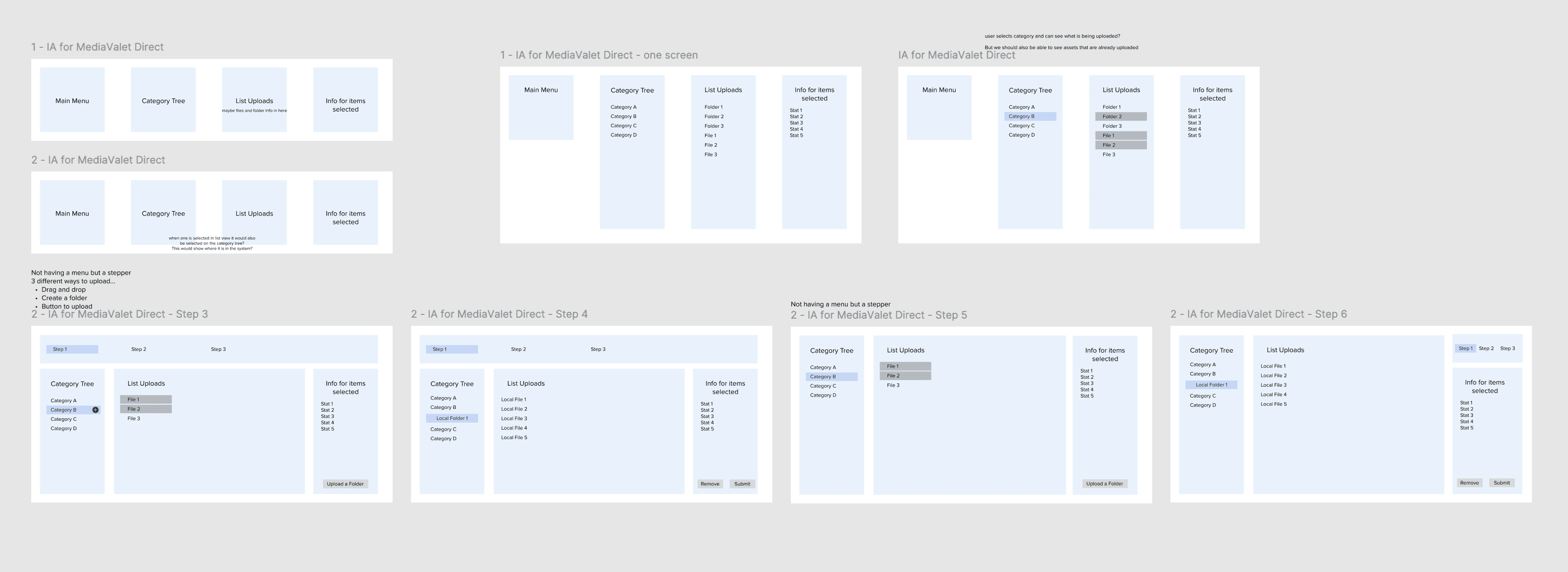
It was imperative to have a connection between the Bulk Uploader and the DAM. Users should be able to use this tool with our much training or cognitive effort. The initial designs looked at how we could combine a similar flow to what existed in the old tool and what the DAM had. There were restrictions from a engineering perspective and functions that wouldn't be able to change drastically. That had to be considered as we explored designs.
The Flows
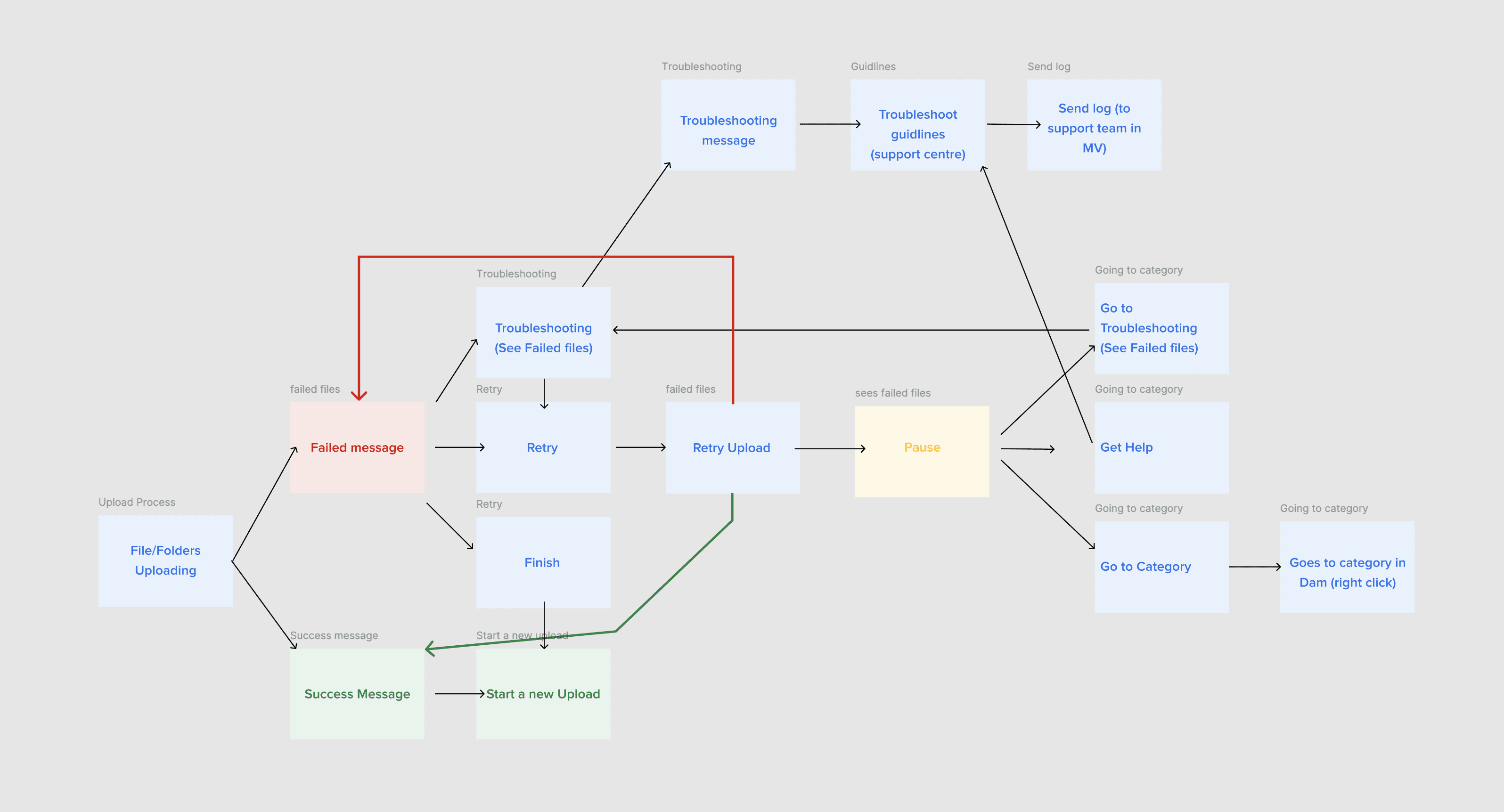
Error Flow
The flows in this project were most important. We needed to guide our users a best possible when troubleshooting was needed. Our messaging, pages and CTAs needed to be crystal clear. Not all part of the flow would be on the tool either. Leading the users on the path to success was the goal here when we can't be on hand to help.
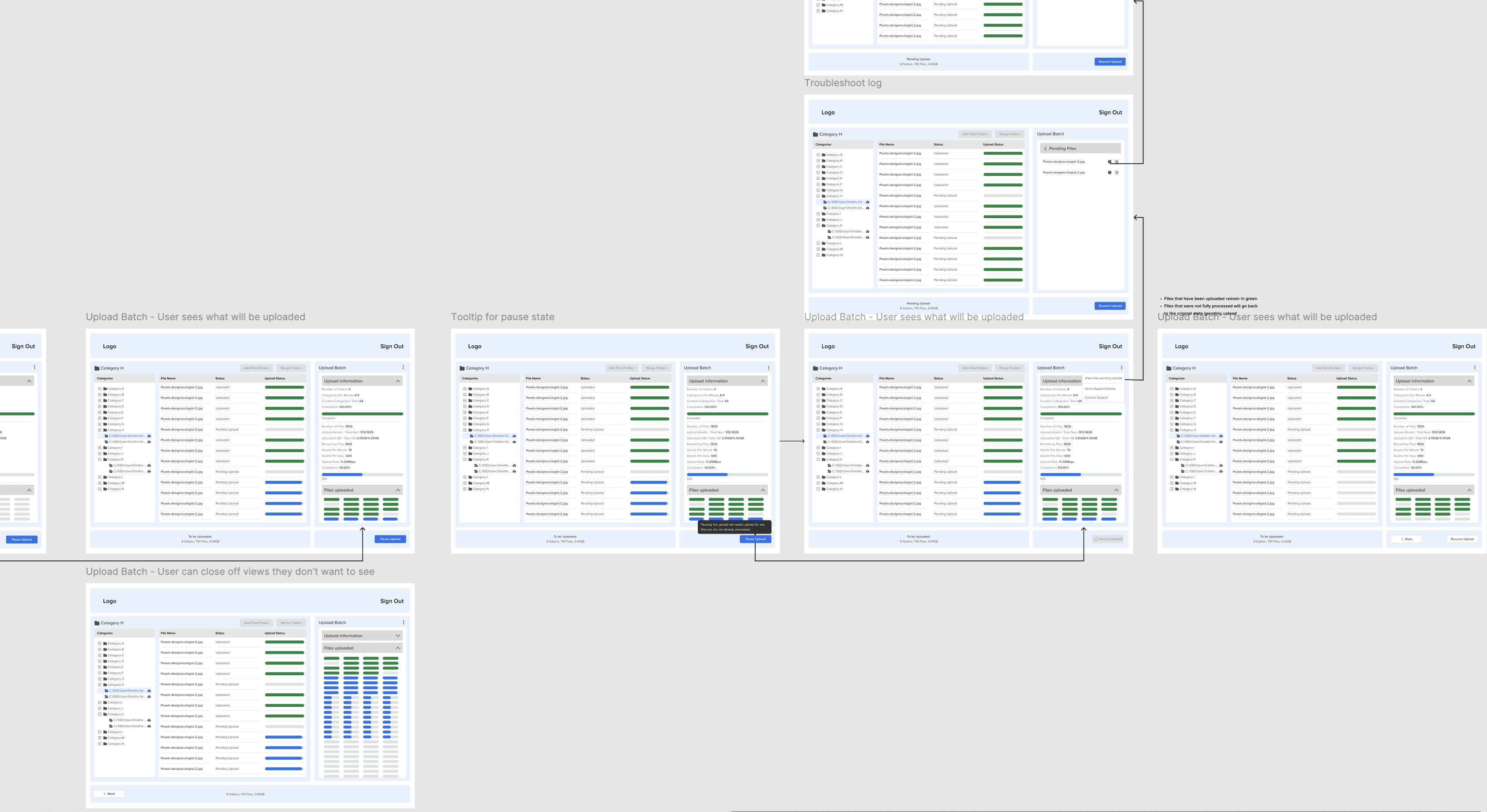
Processing
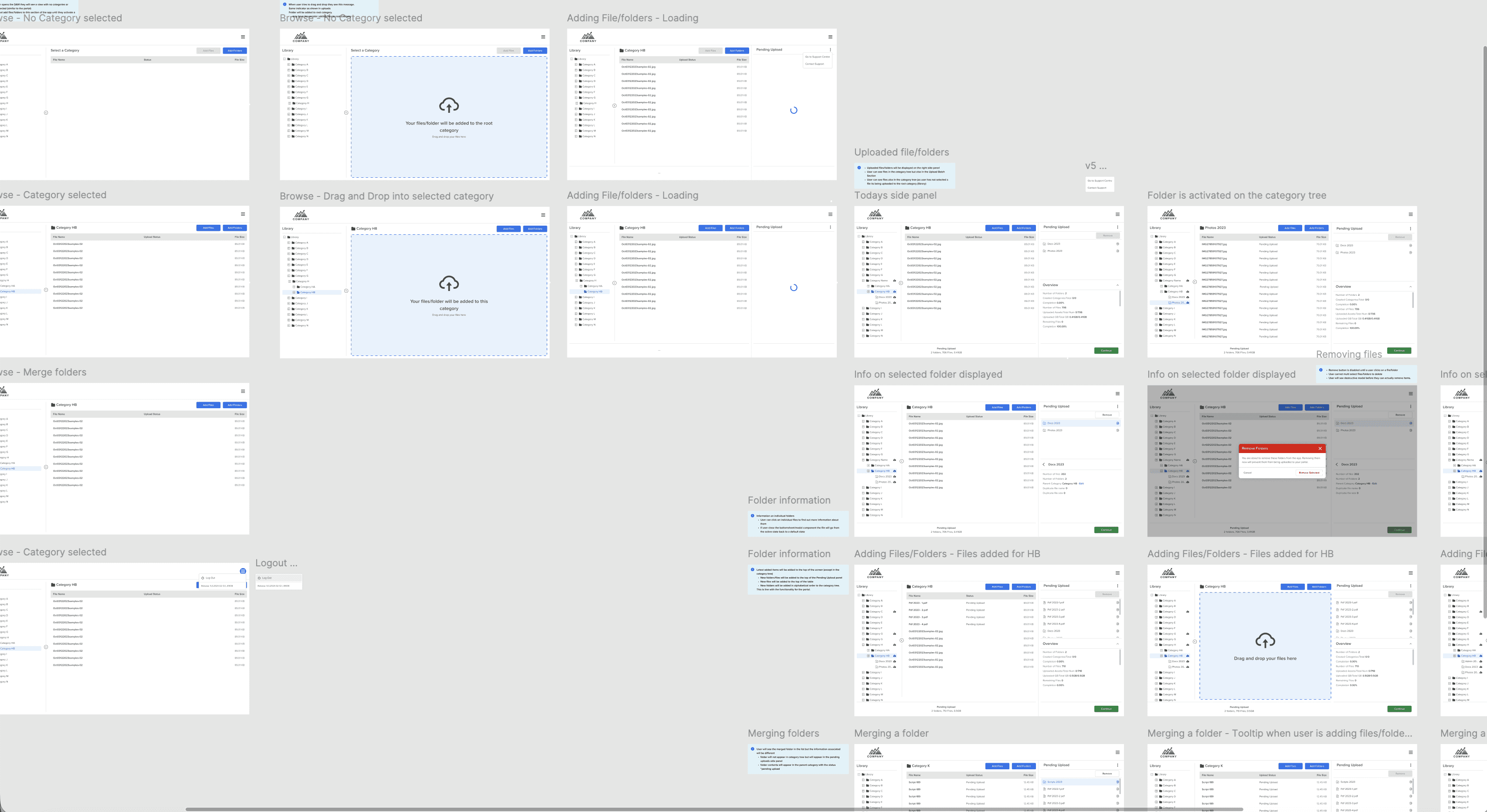
End users need to know what assets are being uploaded and how many assets are being uploaded at a time. The progress bars are displayed alongside the assets being uploaded so the user can see what assets are now in the DAM and what is left to go. The overall progress bar lives in the right panel.
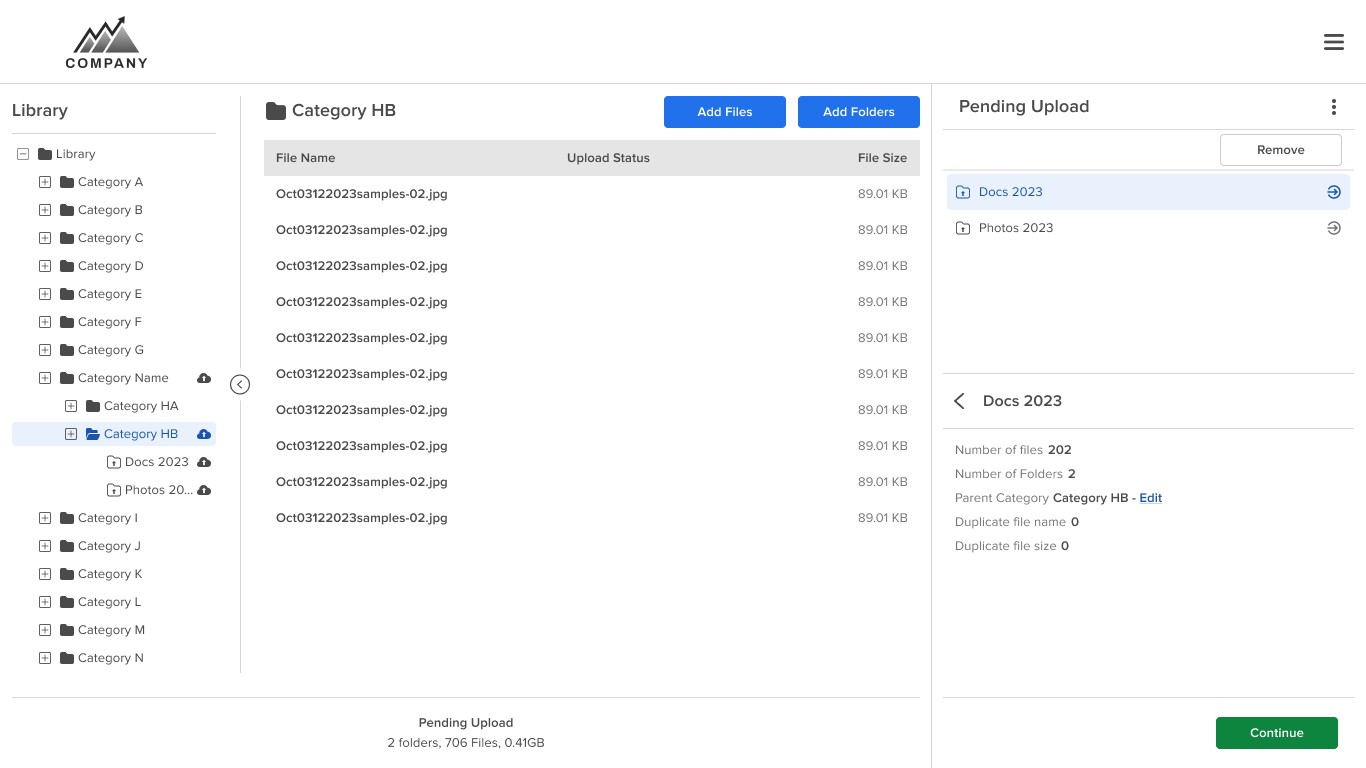
Uploading multiple files
The left panel mimicked the DAM. The right side (Pending Upload) showed the user what assets and folders were going to be added to their DAM. From here they see the details of that folder that has been selected on the left.
Results
Since the launch of the Bulk Uploader, many users have utilized this tool as a way to upload assets rather than use the bulk uploader. Some updates were needed as we added permissions to the DAM. This meant some users without access to some categories in the DAM wouldn't have access to uploading assets to some areas in the Bulk Uploader.